TNT Deploy — the admin app

Post a shift, see who’s coming, close the month clean — all in one place.

TNT MedStaffing keeps rural hospitals covered. The admin app is your window into it: post the shifts you need, watch coverage fill in with named, credentialed providers, and get one consolidated bill at the end of the month.

Your Rural Healthcare Solutions Partner

Part of the TNT MedStaffing family

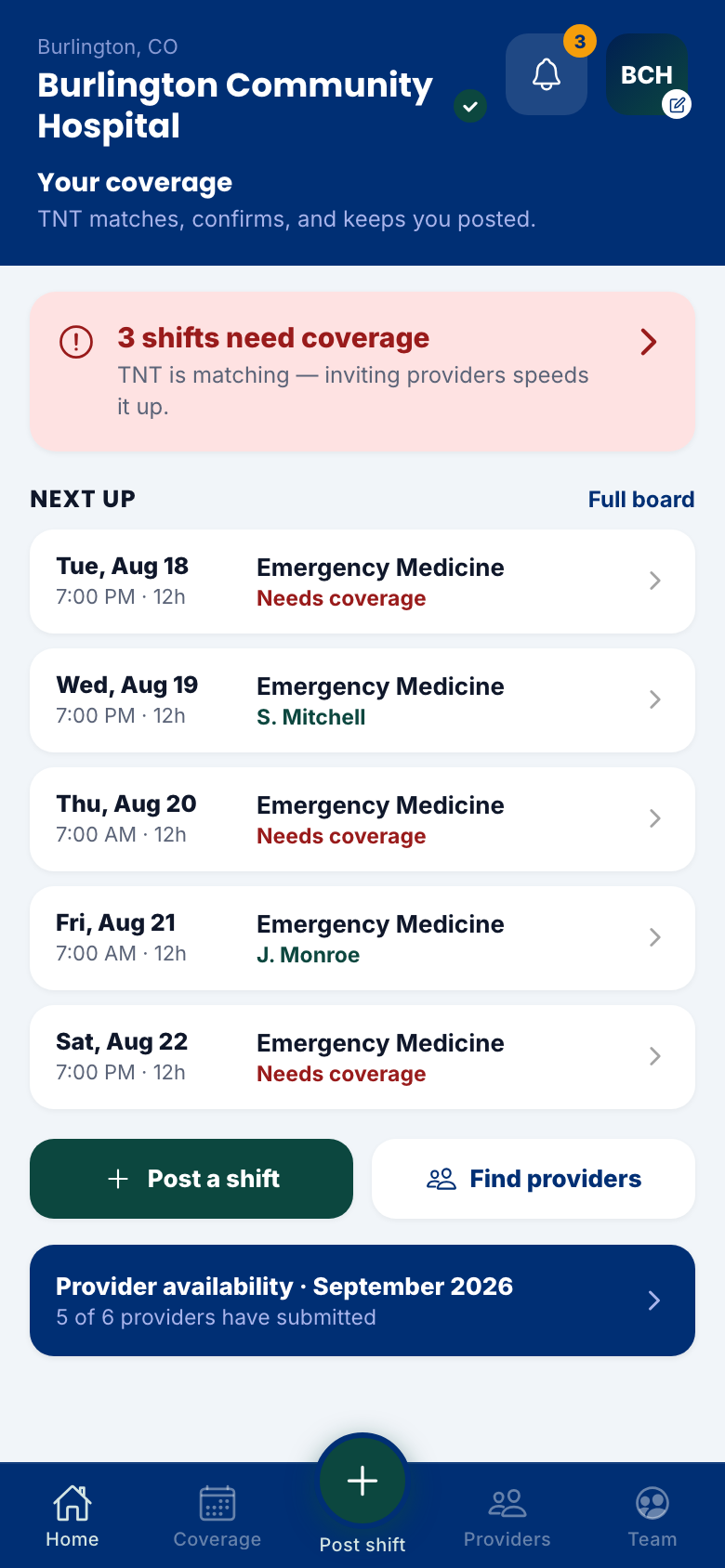
The admin app home — coverage status and next shifts for your hospital
See it in action

Watch both sides cover a shift.

A one-minute tour of the admin app — including the moment a posted shift lands in a provider’s pocket, and the moment their acceptance lands back on your board.

All screens shown with sample data.

Why it works

Coverage without the phone tree.

You post what you need. TNT matches it to credentialed providers, sets the pay, and confirms coverage — you watch it happen instead of chasing it.

Post once, reach the network

A shift posted in the admin app reaches every qualified provider in the TNT network the moment you tap post.

TNT handles the middle

Matching, pricing, credential checks, and confirmation are TNT’s job. Your board just turns from red to green.

One clean monthly bill

Covered shifts roll up into a single consolidated invoice from TNT — every line traceable to a shift, delivered as a PDF.

For hospitals

The charge desk, without the phone tag.

Built for the people who make sure someone is always on the floor.

Home

Your coverage, at a glance

Open shifts flagged the moment you sign in, the week’s lineup underneath, and one tap to post or find providers. When something needs attention, it says so.

Admin home with coverage alerts and next shifts
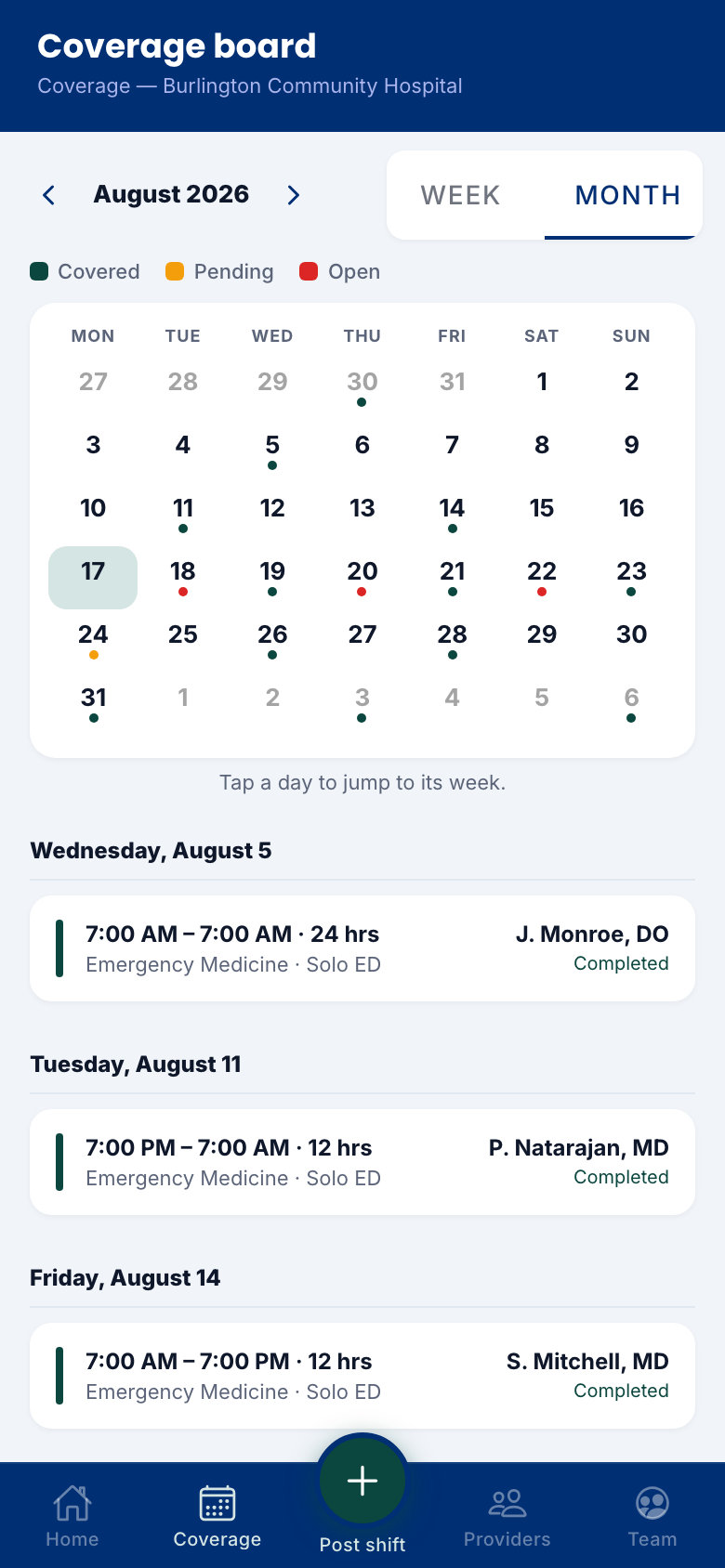
Coverage board

The whole month, one board

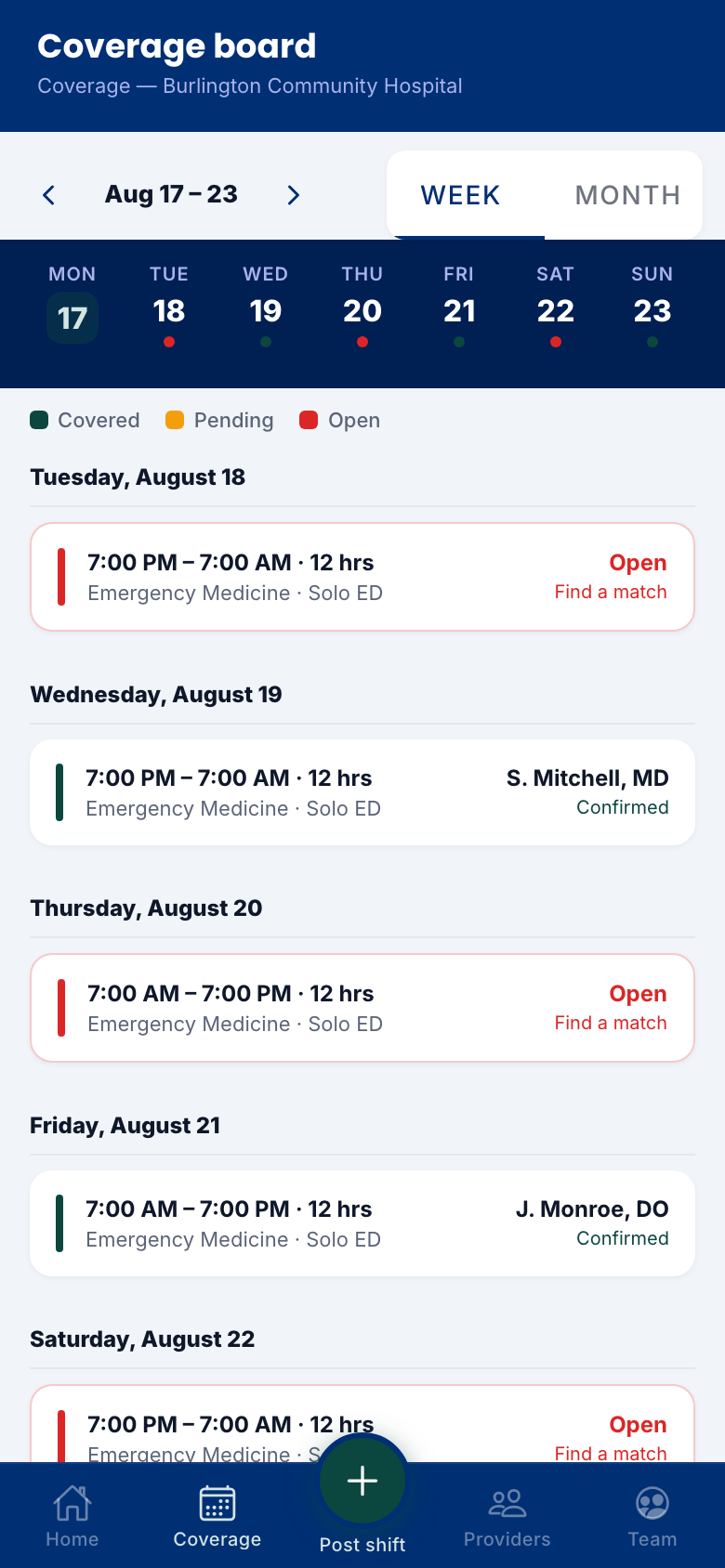
Covered, pending, and open — color-coded by day, with the provider’s name on every covered shift.

  • Week and month views
  • Confirmed names on every green day
  • Open days say “Find a match” — not nothing
The coverage board with color-coded days
Post a shift

Post a shift in seconds

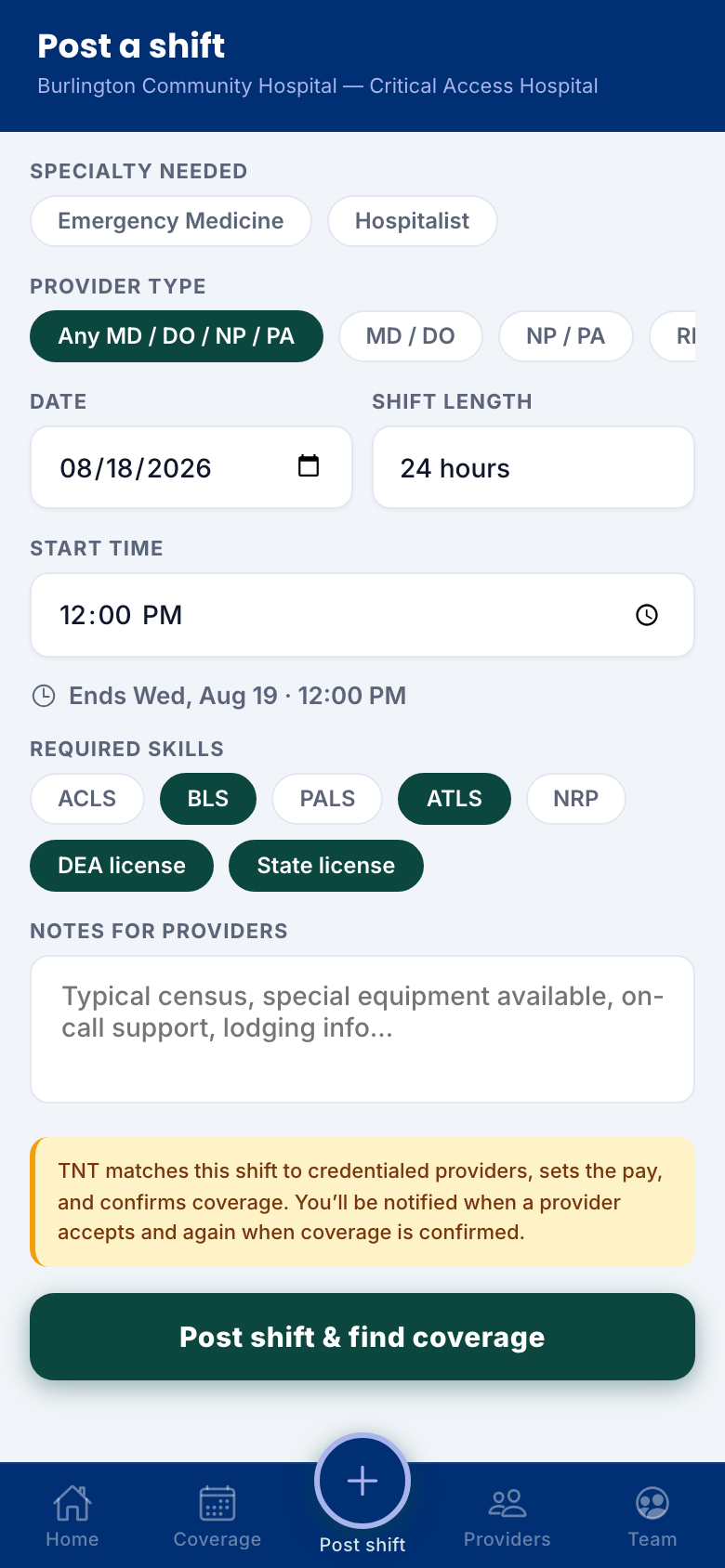
Specialty, date, length, and required skills — that’s all TNT needs. Pricing, matching, and confirmation happen on our side, and you’re notified at every step.

The post-a-shift form
Provider match

Invite the right provider

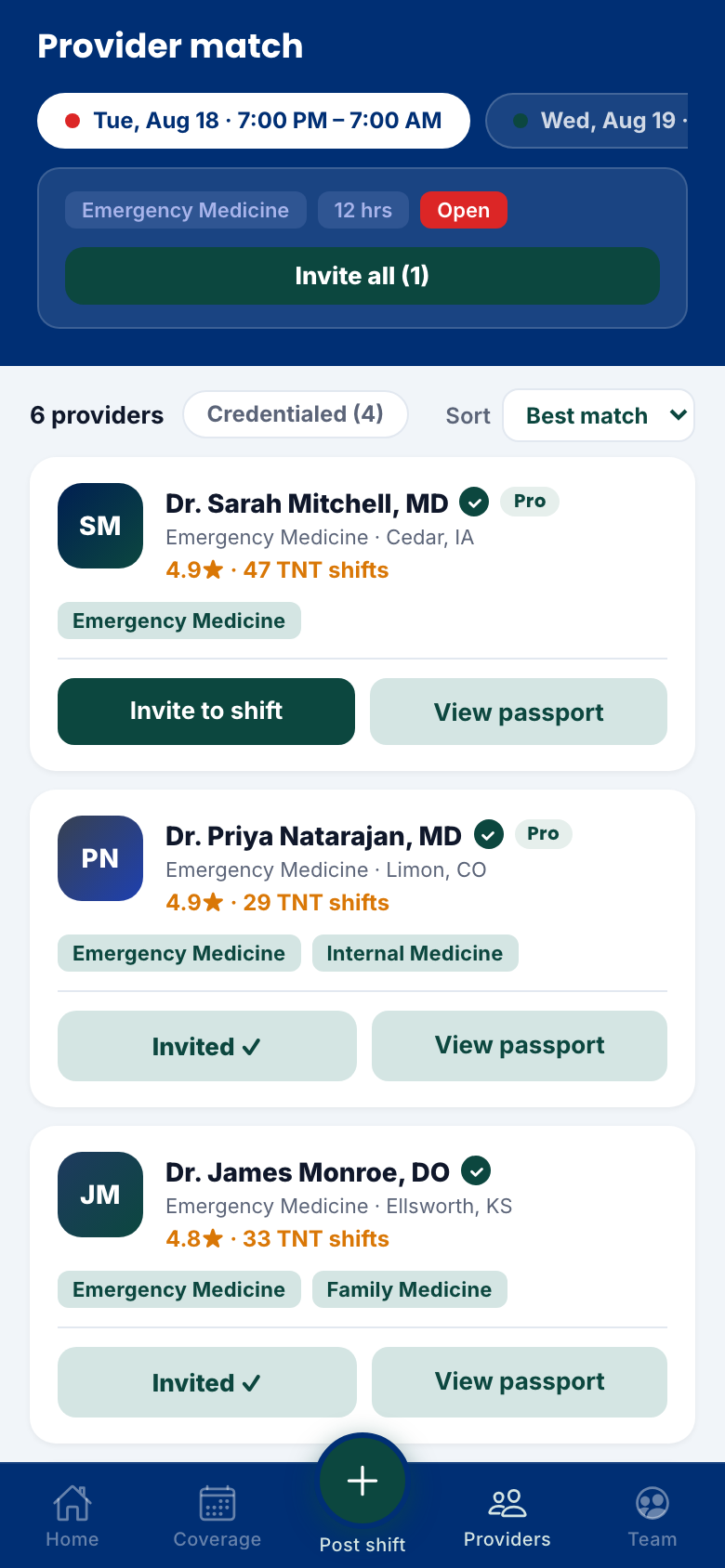
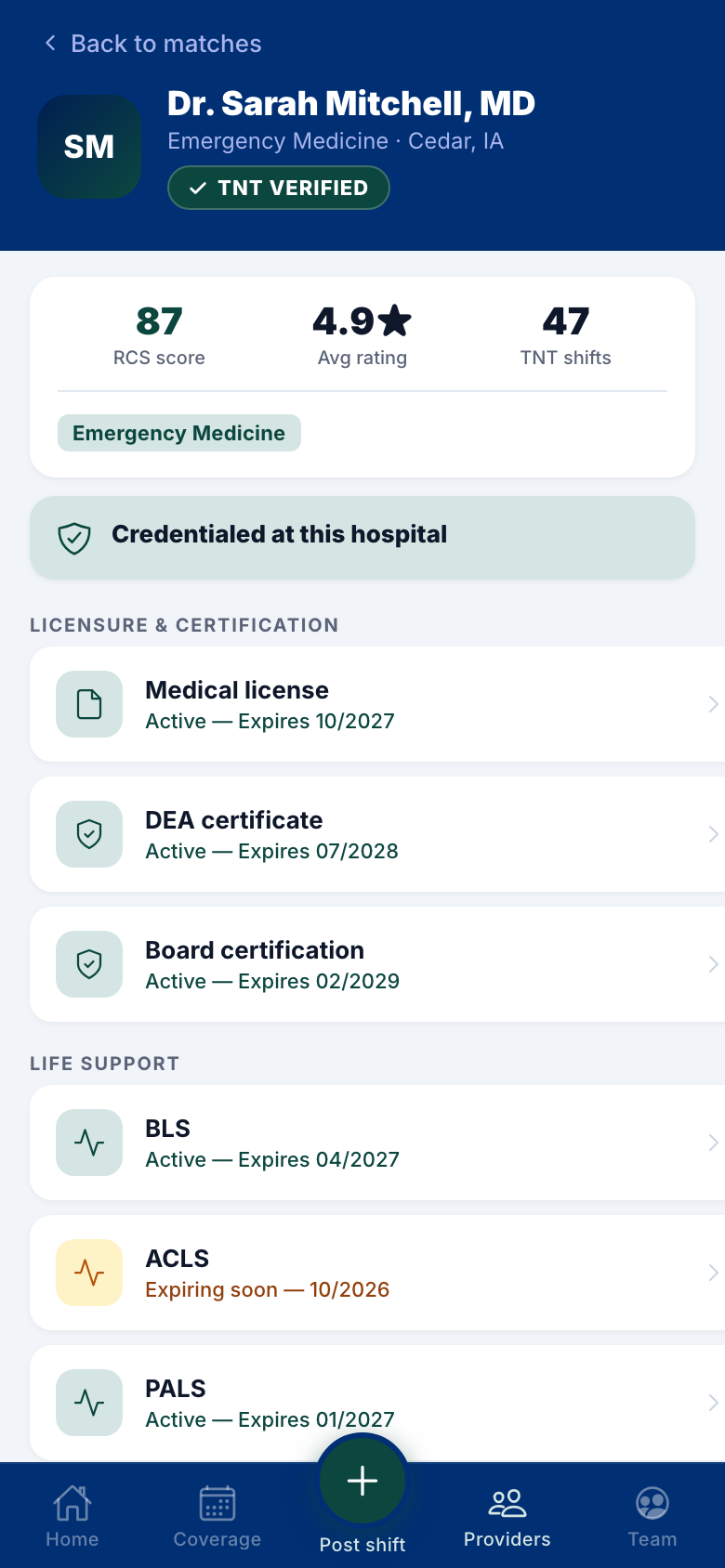
See who’s credentialed at your site, who’s available, and who’s worked your floor before — then invite one, or invite them all.

Provider match list with invite buttons
Availability

Know who can work — before you ask

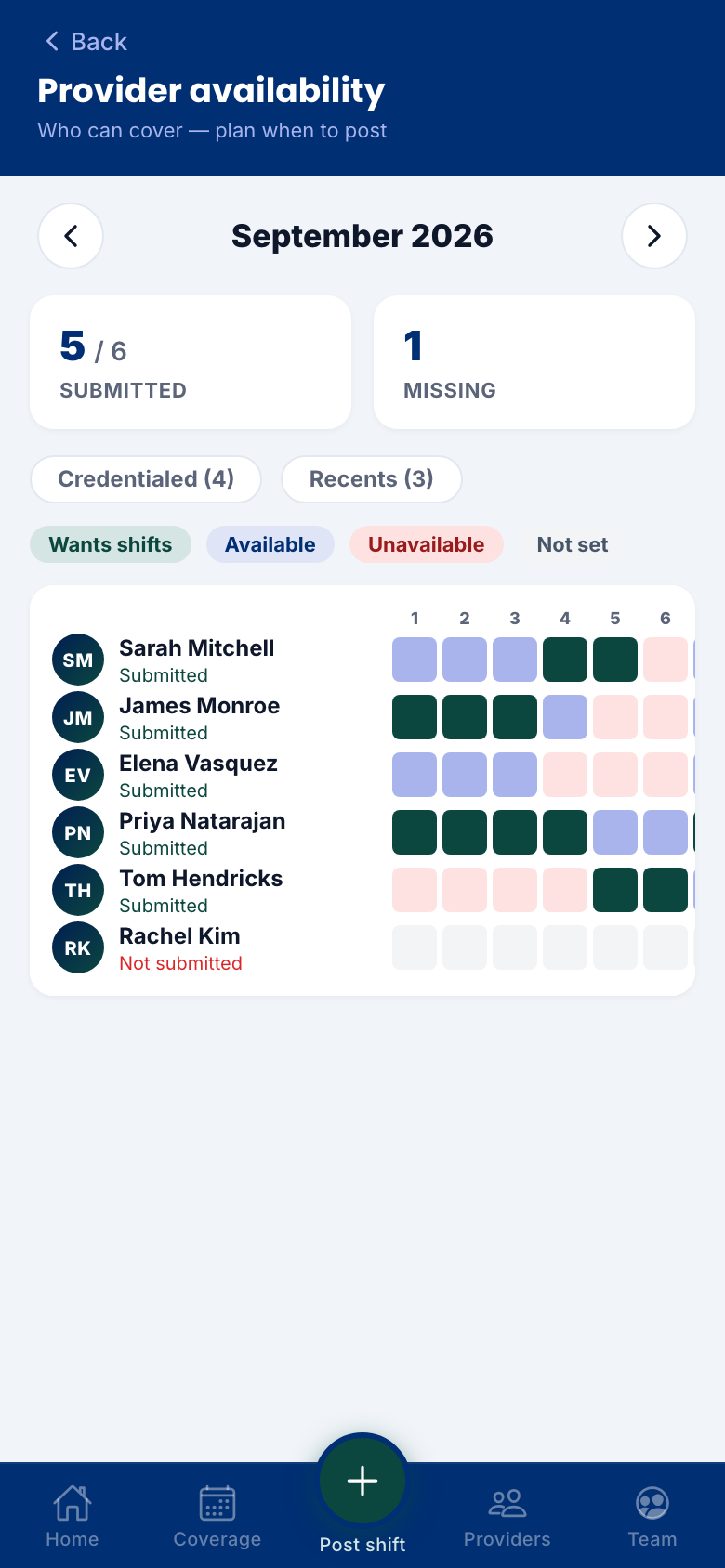
Providers keep their availability current in their own app. You see the month laid out across the roster — so you post shifts where the coverage actually is.

Provider availability across the month
Billing

One clean monthly bill

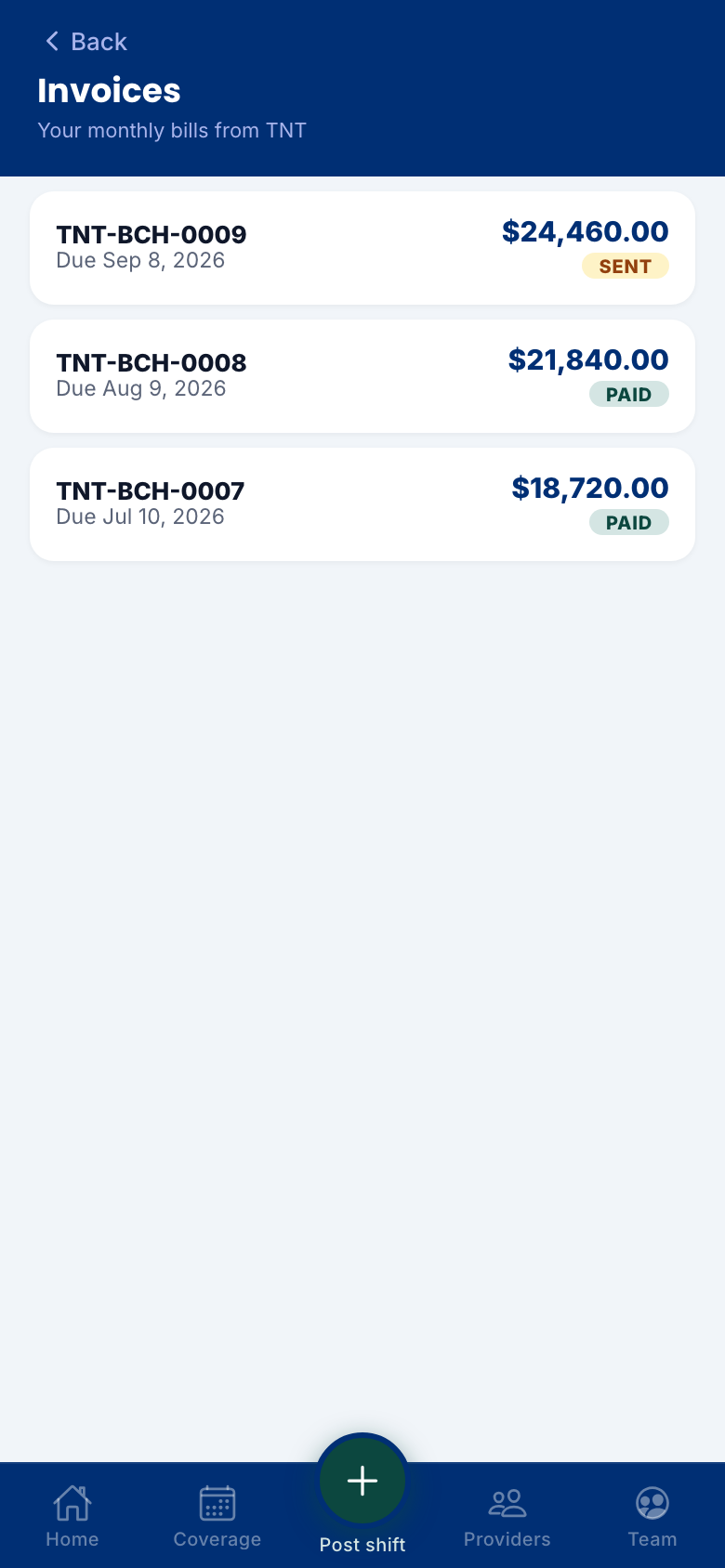
No per-provider paperwork. TNT sends one consolidated invoice a month — every line traceable to a covered shift, PDF in your inbox.

Monthly consolidated invoices from TNT
And more

The rest of the toolkit.

Better together

One shift, two screens.

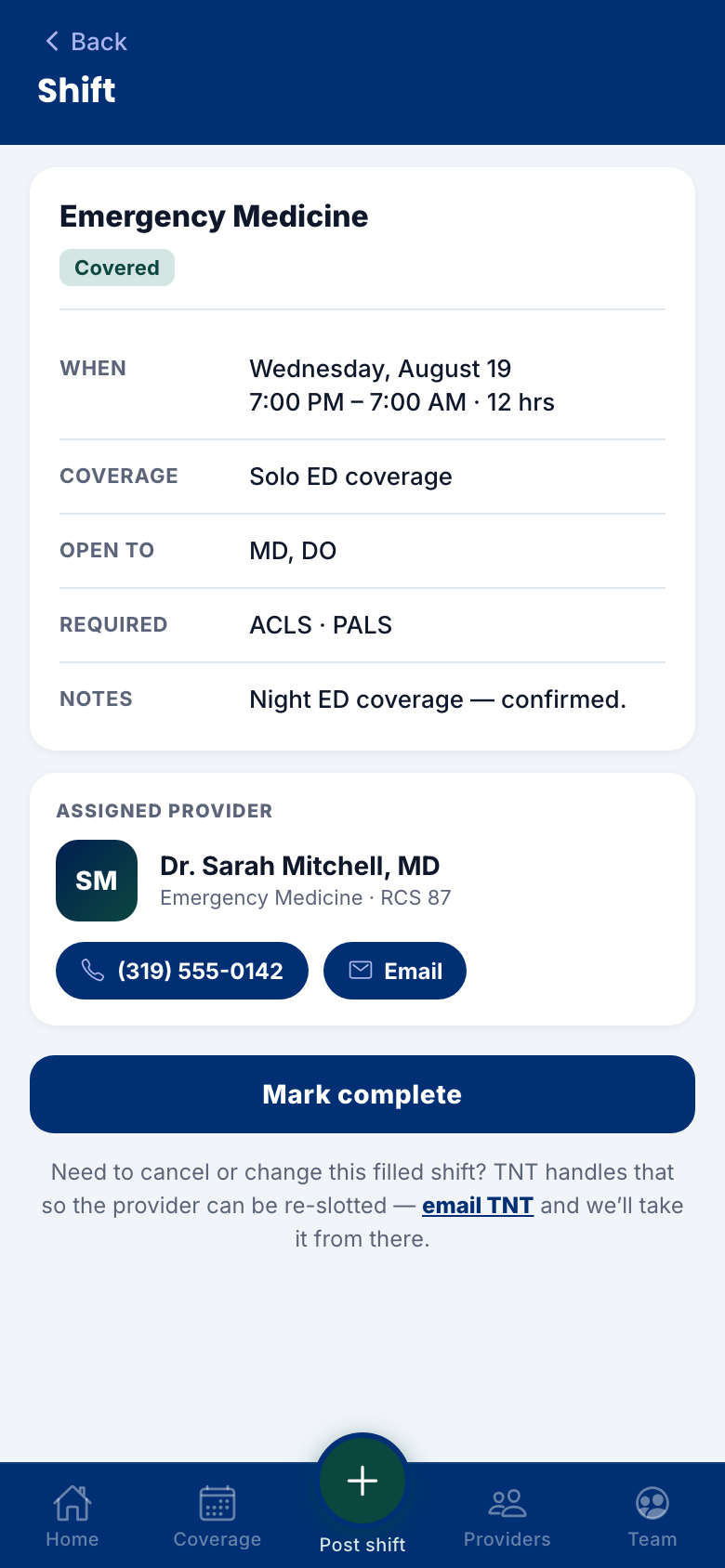
The admin app and the provider app are two ends of the same loop. You post it; the network sees it; someone says yes; your board turns green — and everyone got told without a single phone call.

Ready when you are.

TNT Deploy runs on iPhone, Android, and the web, and is rolling out with our hospital partners now. Reach out through tntmedstaff.com and we’ll set your team up.

Get in touch

Your Rural Healthcare Solutions Partner

Part of the TNT MedStaffing family